

TTS demo
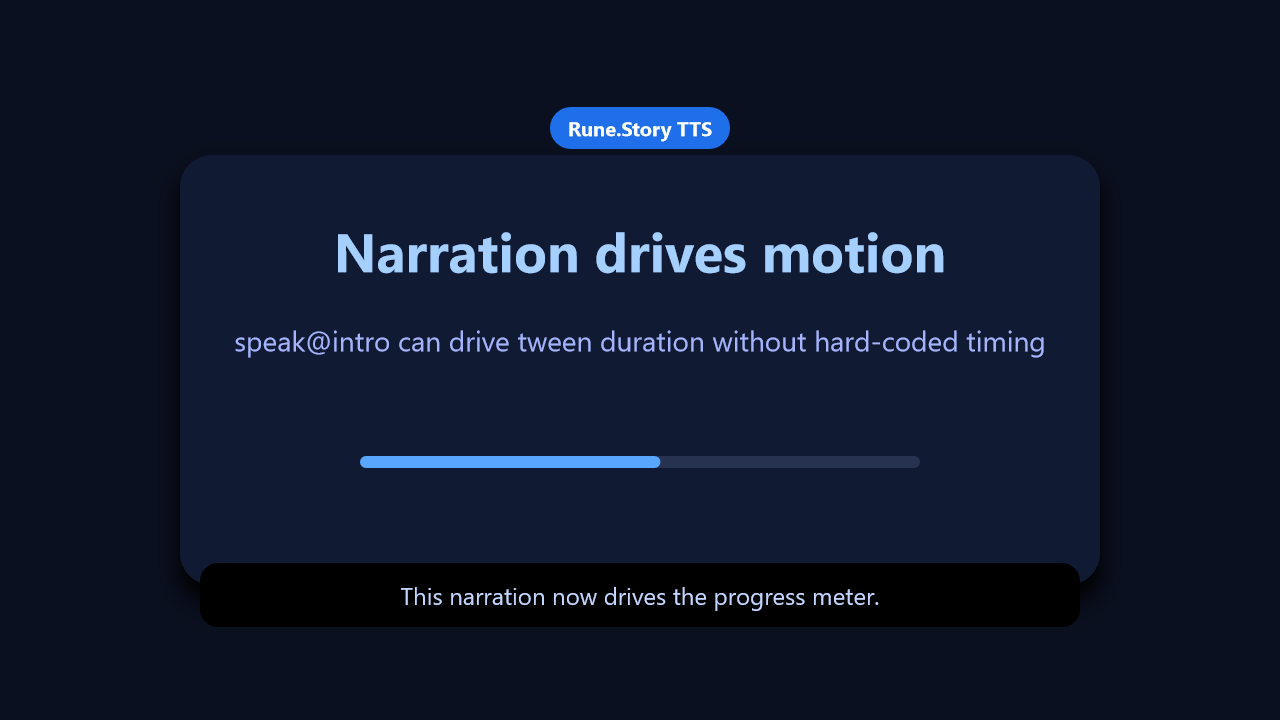
Speech labels, speech-driven tween timing, and exportable narration all run from one checked-in Story file.
Sample file
- Source:
samples/story/tts-demo.story.yaml - Gallery frame:
7.2sfrom the24.80sbake produced with--tts-provider windows. - Azure AI Speech remains optional for this sample; no external Azure service was used for the checked-in gallery capture.
Checked-in YAML
Deterministic excerpt from the checked-in sample: lines 163-239 cover the speech-driven motion and subtitle sync shown in the gallery frame. The full file includes the stage setup plus Azure provider notes.
yaml
  # ── Speech 1: named source drives tween timing ─────────────────
  - speak@intro: "Welcome to the Rune Story text to speech demo. [drive]This narration now drives the progress meter. [captions]Speech labels can also switch subtitles at exact spoken moments."
    voice: $narrator

  - set:
      subtitleBox.opacity: 1
      subtitle.opacity: 1
      subtitle.text: "Welcome to the Rune Story text to speech demo."
    with: $fade

  - set:
      meter.width: 560
      title.color: "#58a6ff"
    with:
      tween: $intro

  - wait: $intro.drive

  - set:
      subtitle.text: "This narration now drives the progress meter."
      subtitle.color: "#c4d6ff"
    with: $fade

  - wait: $intro.captions

  - set:
      subtitle.text: "Speech labels switch subtitles without guessed delays."
      subtitle.color: "#ffffff"
    with: $fade

  - wait: $intro

  # ── Speech 2: tag selector drives tween timing ─────────────────
  - set:
      caption.text: "tween: speak matches active speech and uses its remaining time"
      meter.width: 0
      title.color: "#ffffff"
    with: $pulse

  - wait: done

  - speak@sync: "The visual state can keep changing while speech is active. [labels]The subtitle changes when this label is reached. [finish]Then the story waits for speech to finish."
    voice: $narrator

  - set:
      meter.width: 560
      caption.color: "#7dd3fc"
      subtitle.text: "Visual state can keep changing while speech is active."
      subtitle.color: "#ffffff"
    with:
      tween: speak

  - wait: $sync.labels

  - set:
      subtitle.text: "The subtitle changes when the speech label is reached."
      subtitle.color: "#7dd3fc"
    with: $fade

  - wait: $sync.finish

  - set:
      subtitle.text: "Now wait: speak holds until narration finishes."
      subtitle.color: "#ffffff"
    with: $fade

  - wait: speak

  # ── Wrap up ────────────────────────────────────────────────────
  - set:
      caption.text: "Export includes the speech audio graph; preview/live can play it in sync."
      title.text: "TTS is now part of Story playback"
      meter.width: 560
      meter.fill: "#2ea043"
      subtitle.opacity: 0
      subtitleBox.opacity: 0
    with: $soft
Mechanics walkthrough
- The first narration is named
speak@intro, which makes the speech duration addressable as$introand individual labels addressable as$intro.driveand$intro.captions. - The second narration demonstrates
tween: speak, which binds animation duration to the currently active speech segment instead of duplicating time in two places. - The gallery still was rendered with
--tts-provider windowsso the frame uses a supported built-in provider and the recorded timing matches the local narrated bake.
Preview and export
powershell
story preview samples\story\tts-demo.story.yaml
story export samples\story\tts-demo.story.yaml --force
story frame samples\story\tts-demo.story.yaml --tts-provider windows --time 7.2 -o docs\public\images\examples\tts-demo.png