

Video playback
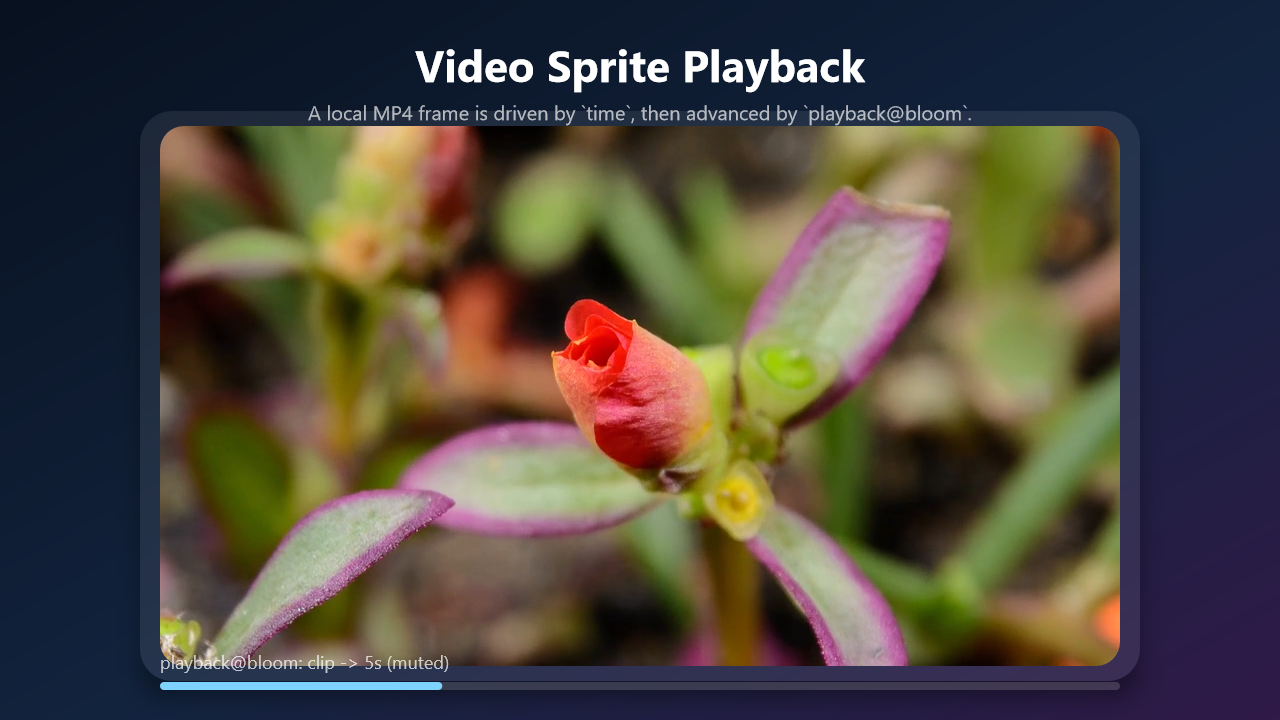
A checked-in MP4 becomes a Story sprite, then playback@... advances it on the Story timeline.
Sample file
- Source:
samples/story/video-demo.story.yaml - Gallery frame:
3.0sfrom the baked7.03ssample.
Checked-in YAML
Exact complete YAML from the checked-in sample.
yaml
story: v1beta1
name: video-demo
canvas: 1280x720
fps: 30

# Video asset: assets/flower.mp4
# Source: https://interactive-examples.mdn.mozilla.net/media/cc0-videos/flower.mp4
# License: CC0 sample video used by MDN interactive examples.

tokens:
  - spring@card-in: 0.72, 8.0

script:

  - create@bg:
      rect: 0,0,1280,720
      fill:
        linear: 0%,0%,100%,100%
        stops:
          0: "#08111f"
          0.55: "#13243f"
          1: "#301a48"

  - create@title:
      text: "Video Sprite Playback"
      fontSize: 44
      fontFamily: "Segoe UI"
      fontWeight: bold
      color: "#ffffff"
      x: 640
      y: 64
      align: center
    with: $smooth

  - create@subtitle:
      text: "A local MP4 frame is driven by `time`, then advanced by `playback@bloom`."
      fontSize: 20
      fontFamily: "Segoe UI"
      color: "rgba(255,255,255,0.68)"
      x: 640
      y: 112
      align: center
    with: $smooth

  - create@card:
      rect: null
      width: 1000
      height: 570
      x: 640
      y: 396
      align: center
      radius: 32
      fill: "rgba(255,255,255,0.08)"
      shadow:
        color: "rgba(0,0,0,0.35)"
        offset: 0, 18
        blur: 36
    with: $card-in

  - create@clip:
      video: assets/flower.mp4
      time: 0s
      width: 960
      height: 540
      x: 640
      y: 396
      align: center
      radius: 24
      opacity: 0

  - set:
      clip.opacity: 1
    with: $smooth

  - create@progressTrack:
      rect: null
      width: 960
      height: 8
      x: 160
      y: 682
      radius: 4
      fill: "rgba(255,255,255,0.16)"

  - create@progress:
      rect: null
      width: 1
      height: 8
      x: 160
      y: 682
      radius: 4
      fill: "#7dd3fc"

  - create@label:
      text: "playback@bloom: clip -> 5s (muted)"
      fontSize: 18
      fontFamily: "Segoe UI"
      color: "rgba(255,255,255,0.72)"
      x: 160
      y: 650

  - wait: settle

  - playback@bloom: $clip
    to: 5s
    muted: true

  - set:
      progress.width: 960
    with:
      tween: 5s
      easing: 0, 0, 1, 1

  - wait: done

  - wait: 0.5s
Mechanics walkthrough
- The sample points
video:atassets/flower.mp4, a checked-in CC0 clip, so the documented still comes from repository content instead of an external runtime dependency. playback@bloomdrives the sprite from0sto5swhile a matchingsetanimates the progress bar with linear easing.- Because
wait: donefollows the playback action, preview and export stay aligned with the media clip instead of hard-coding a guessed delay.
Preview and export
powershell
story preview samples\story\video-demo.story.yaml
story export samples\story\video-demo.story.yaml --force
story frame samples\story\video-demo.story.yaml --time 3.0 -o docs\public\images\examples\video-demo.png